STAT 385 Summer 2026 Syllabus
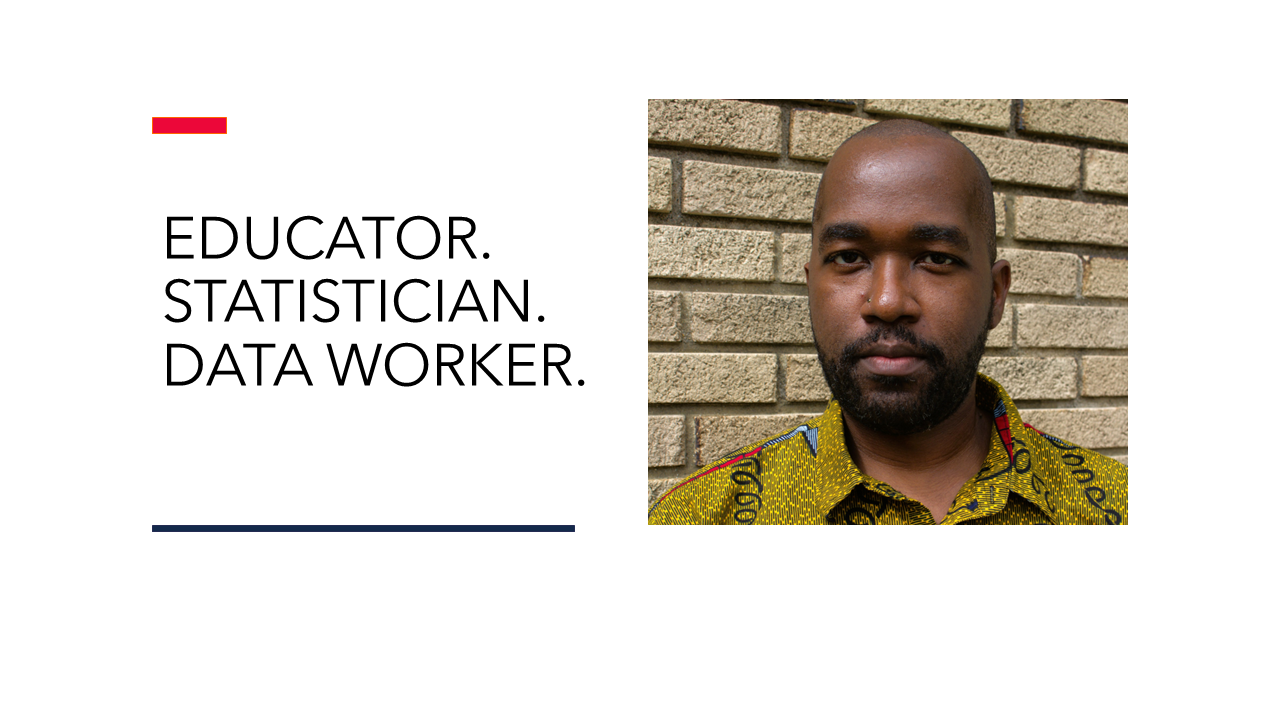
Written on June 10th, 2026 by Christopher Kinson
3 Credit Hours - Major Elective
Section ONL
Summer 2026 - Syllabus
Course Description
Statistics Programming Methods (STAT 385) is a programming course designed to establish the foundations of computing in statistics and data science. Potential topics include the following: documentation, debugging code, efficient programming, R objects, control structures, user-defined functions, mathematics (arithmetic, algebra, calculus, and linear algebra), statistics (data, simulation, modeling, and randomization), and data science (string manipulation, data wrangling, data visualization, data analysis, and building dashboards, apps, and slideshow presentations).
The code we write in this course must be reproducible - verifiable by any computer running the same exact code and receiving the same exact result as the original source. It is important that code does not contain executable errors and warnings. Critical and creative thinking and efficient coding is encouraged. Additionally, learners acquire basic knowledge of computers, such as locating a file, creating a directory, saving a file, compressing a file, extracting a compressed file, keyboard shortcuts, and fundamental troubleshooting. This course aims to present these programming methods concepts and skills via R and the integrated development environment RStudio. If time permits, version control via Git and GitHub may be discussed. R with RMarkdown offers reproducible documentation with Markdown syntax, which supports long-term learning opportunities. RStudio simplifies the look and feel of R making its strengths easier to access and its weaknesses easily adjustable. This means that learners must have a computer that they can access on any given day.
This course is an asynchronous online course without a traditional daily lecture format. The Instructor provides readings, coding files, notes, and videos. Readings are the primary source of learning material and contains examples and code. Readings should be read and understood before attempting any assignments. Code within the readings should be attempted prior to beginning assignments. Some videos may be shared as supplemental to the readings.
There are two types of weekly assignments, two (week 4 and week 8) graded interviews, and one final portfolio. The expectation is that learners gain essential mastery of coding and programming appropriate for the disciplines of statistics and data science in R. Concepts covered in this course build upon each other. Thus, learners can expect all assessments and assignments to be cumulative. Discussion posts are graded by course staff. Homework assignments are graded with an autograder for reproducibility and correctness. See Autograder section below. The course staff will more thoroughly grade these assignments for quality. The graded interviews will be one-on-one with the Instructor in Zoom and graded for mastery and effectiveness in completing tasks and answering conceptual questions in an improvised format. The final portfolio is a collection of published documents to showcase knowledge, coding methods, and presentation skills.
↑ Back to Top
Learning Objectives
These learning objectives are important because they connect the physical know-how with the technical knowledge of the course.
-
Learners must write and construct reproducible code in digital notebook files and script files. No local data files are utilized.
-
Learners must recall important coding concepts and workflows.
-
Leaners must explore data sets of various types.
-
Learners must design well-organized, clean data sets for the purpose of data analysis.
-
Learners must be able to explain and summarize data wrangling code.
-
Learners must produce and replicate data visualizations.
-
Learners must analyze data that they cleaned based on standard statistics methodologies.
-
Learners must demonstrate critical thinking and creativity through asking and answering questions.
-
Learners must be able to interpret, explain, and summarize R code.
-
Learners must share and discuss programming ideas, code chunks, and other thoughts to aid in meaningful dialogue.
-
Learners must reflect on their own learning of programming methods and principles.
-
Learners must build programs, tools, and dashboards, and slideshow presentations.
-
Learners must present, recall, and demonstrate their mastery in an interview format.
Course Staff
- Instructor - Christopher Kinson (kinson2@illinois.edu)

- Teaching assistant - Nuofan Tian (nuofant2@illinois.edu)

Course Specifics
Prerequisites
The prerequisites for this course are the following:
-
A computer or laptop (not a netbook) with most up-to-date versions of R and RStudio installed. If using a netbook or Chromebook, please setup a Posit Cloud (formerly RStudio Cloud) account.
-
STAT 107 or STAT 200 or STAT 212
Meeting Schedule and Expectations
-
Because this course is online, there is no regular course meeting schedule. We have Office Hours for both the Instructor and teaching assistant, in which learners are encouraged to ask questions and seek assistance on course topics they are struggling with.
-
There are readings, notes, and videos.
-
All learners are expected to do the following before coming to class each week: read the readings, annotate the readings to improve their understanding, read and practice notes, view videos, participate in discussion board posts, and complete assignments.
-
All course content - syllabus, readings, assignments, notes, videos, discussion board - exists in Canvas. Do check Canvas often for updates and announcements about the course.
Office Hours
Office hours are online in Zoom. If a learner has a specific question, but cannot attend the office hours, then that learner should post their question in the Discussions board. If a learner wants one-on-one assistance from the course staff at an alternative time, then that learner should email the course staff in order to schedule a Zoom meeting.
-
Instructor online office hours:
-
Teaching assistant online office hours:
Textbooks
There is no required textbook, but readings are required and come from more than one book. Links are provided to all required readings. Below one may find textbooks that are useful in learning R by oneself. The list is written as title of the text as a link, followed by last name of the author(s).
R
- R Ice Breaker. Sanchez.
- R Coding Basics. Sanchez.
- An Introduction to R. Venables, Smith and the R Core Team.
- Deep R Programming. Gagolewski.
- R for Data Science. Wickham, Çetinkaya-Rundel, and Garrett Grolemund.
- Hands-On Programming with R. Grolemund.
- R Inferno. Burns.
- The Art of R Programming. Matloff.
Software
The course assumes learners are new to coding in R and have little programming experience.
-
R with RStudio
- Download and install R if you don’t already have it
- Download and install RStudio if you don’t already have it
- files saved as .Rmd and rendered as .html
- Make sure your R and RStudio are updated to the latest version.
-
Zoom video teleconferencing software with functioning Webcam and Microphone
Calendar
Below is a calendar of topics and tentative assignment deadlines.
| Week | 2026 Dates | Topics | Assignments (Due Date) |
|---|---|---|---|
| 1 | 06/15 - 06/21 | R Coding I (navigating the computer, R, RStudio, R objects, vectorization) | discussionpost01, homework01 (Saturday 06/20) |
| 2 | 06/22 - 06/28 | R Coding II (control flow structures, the apply family of functions, debugging code) | discussionpost02, homework02 (Saturday 06/27) |
| 3 | 06/29 - 07/05 | R Coding III (efficient programming, base R data wrangling, base R string manipulation) | discussionpost03, homework03 (Saturday 07/04) |
| 4 | 07/06 - 07/12 | Tidy Data Wrangling (the tidyverse, pipe operators, dplyr functions, stringr functions) | discussionpost04, homework04 (Saturday 07/11), interview01 (scheduled) |
| 5 | 07/13 - 07/19 | Tidy Data Visualization (ggplot2 functions, statistical graphics) | discussionpost05, homework05 (Saturday 07/18) |
| 6 | 07/20 - 07/26 | Statistics Programming I (mathematics and statistics functions, modeling, statistical analysis) | discussionpost06, homework06 (Saturday 07/25) |
| 7 | 07/27 - 08/02 | Statistics Programming II (simulations, algorithms) | discussionpost07, homework07 (Saturday 08/01) |
| 8 | 08/03 - 08/09 | Tooling for Future Statisticians and Data Scientists (apps and dashboards, slideshows, reproducible analysis papers, automation, scheduling, version control) | finalportfolio (Saturday 08/08), interview02 (scheduled) |
Grading Breakdown
7 Discussion Posts: 7 points total (1 point each)
- Discussion Posts, aka discussionpost01-discussionpost07, are weekly tasks in which learners and respond to discussion board prompts. Discussion board topics are based on the readings, notes, and videos. Discussion posts are graded for completion and due on Saturdays by 11:59 pm. The instructional staff will monitor and engage these discussion posts as well.
7 Homeworks: 70 points total (10 points each)
- homework01 - homework07 are weekly assignments based on the readings, notes, and videos, which are graded for correctness on conceptual and coding questions and due on Saturdays by 11:59 pm.
2 Interviews: 40 points total (20 points each)
- interview01 - interview02 are one-on-one interviews with the Instructor in which learners are asked questions and tasked with completing a programming problem in an improvised format. The 10-minute interviews will be scheduled during the weeks (week 4 and week 8).
1 Final Portfolio: 30 points total
- This final portfolio is a collection of published documents (Shiny dashboard, reproducible analysis paper, and Quarto slides) to showcase your knowledge and skills in statistics programming methods. It is due on Saturday August 8, 2026 by 11:59 pm.
Course Total Points: 147 points
Final Letter Grades
When computing final grades, learners can add up their scores on the assignments. The resulting sum determines which letter grade they earn when the course is completed. Points are not rounded.
| Lower bound | Upper bound | Letter grade |
|---|---|---|
| 142.590 points | 147.000 points | A+ |
| 136.710 points | 142.589 points | A |
| 132.300 points | 136.709 points | A- |
| 127.890 points | 132.299 points | B+ |
| 122.010 points | 127.889 points | B |
| 117.600 points | 122.009 points | B- |
| 113.190 points | 117.599 points | C+ |
| 107.310 points | 113.189 points | C |
| 102.900 points | 107.309 points | C- |
| 98.490 points | 102.899 points | D+ |
| 92.610 points | 98.489 points | D |
| 88.200 points | 92.609 points | D- |
| 0.000 points | 88.199 points | F |
Instructional and Learning Activities
Learners should read the readings, read and annotate any notes, watch any videos, and complete all assignments. If or when learners get stuck, then they should ask questions in the i) Discussions Board, ii) Office Hours, or iii) via email (preference in this order). The following activities and tools are useful for learners.
Office Hours
Office hours are an interactive space to ask questions - whether confused or not. The Instructor and/or teaching assistant could be asked to discuss approaches to begin problems and content relevant to readings, notes, and assignments. Learners are strongly encouraged to attend and participate in the discussion.
Readings
The readings are the most important pathways to learning in this course. The readings typically have code within the text. It’s a great idea to attempt the code on your own and alter it in some ways to see how those changes affect the result. Yes, there is a lot of information in the readings, but it is useful to read them for the important parts and return to it for details after beginning the reading-comprehension assignments.
Notes and Videos
The Instructor may provide notes and links to videos to supplement learning. These materials are useful for learning and reinforcement of ideas. Any notes and videos are posted in Canvas.
Discussions
This discussion board is one of the best ways to communicate with classmates and course staff. Questions can be seen quickly and receive a rapid response. Learners are encouraged to use this board beyond completing the discussion posts assignments. We believe active questioning and sharing of ideas is a valuable learning strategy.
Do use the board to openly discuss ideas about the course such as questions about content, deadlines, notes, data, etc. If a learner specifically wants the course staff to respond, then learner should use the mention @Christopher Kinson when posting in the board. The things discussed here should be of a non-private matter. If learner has a private matter to discuss with the Instructor, such as grades, please send an email to kinson2@illinois.edu. Additionally, the conversation in the discussion board should be respectful of people’s differences. We will not tolerate attacks or the ridiculing of anyone.
Assignments
Discussion Posts
These are prompted discussions for learners on the course discussion board in Canvas. All learners must make posts or replies to the original prompt post by the 11:59 pm deadline every Saturday.
Homework
These are assignments saved as .R or .Rmd (it may vary for the assignment) files intended to challenge learners’ conceptual knowledge and coding and programming skills based on the readings, notes, and videos. These assignments require coding documentation as well as answers to problems. There are 7 homework assignments for the semester. The filename for these assignments is homework followed by a two-digit number representing the week of the assignment followed by the string ‘netid.’ For example, homework04-netid.R corresponds to week 04 and the readings, notes, and videos of week 04 and is due on Saturday of week 04. The filename requires learners to write their netid in place of the string ‘netid’. For example, a learner with the netid ‘abcd3’ saves their homework04 file as homework04-abcd3.R or homework04-abcd3.Rmd depending on the original file extension.
Each homework file must be submitted in Canvas. See calendar and Canvas for deadlines. These homework assignments are graded for completion and correctness - with an Instructor-triggered autograder - and by the course staff for quality. See Autograder section below.
Interviews
These are 10-minute one-on-one interviews with the Instructor in which learners are asked questions and tasked with completing a programming problem in an improvised format. The interviews will be scheduled during the weeks (week 4 and week 8). All learners must complete the interview by the end of week 4 and week 8, respectively.
The interview will be graded for mastery and effectiveness in completing tasks and answering conceptual questions in an improvised format. The Instructor will be the judge of that mastery and effectiveness. The interview will be conducted in Zoom and recorded for grading purposes.
In order to meet the College of LAS’s identity verification policy for LAS Online-certified classes, your face speaking directly into the camera must appear over the entire course of the video.
Final Portfolio
The Final Portfolio in this course is the creation of three published documents or products: Shiny dashboard, Quarto slideshow, and reproducible analysis paper. Each product showcases learners’ abilities, creativity, conceptual knowledge, and coding skills. All three products must be submitted by 11:59 pm on the Saturday August 8. Your ideas and coding must be your own.
↑ Back to TopAutograder
The code we write in this course must be reproducible - verifiable by any computer running the same exact code and receiving the same exact result as the original source. It is important that code does not contain executable errors and warnings. Submitting code with executable errors and warnings shows that a learner is not following one of the course learning objectives. Submitting error-producing code also shows that there is no regard for what reproducibility means. There is an autograder used in this course to grade assignments. The autograder is not forgiving. It scans the entire file and check for base R executable errors and warnings as well as grade the assignment for correctness and completion. Objects created at the top of the file which are overwritten at the bottom of the file are considered incorrect by the autograder. When the autograder detects a base R executable error or warning, it stops grading the learner’s submission and assign a grade of 0 for the assignment.
To follow reproducible coding guidelines and prevent executable errors and warnings, be sure to do the following (in no particular order):
-
Always use URLs for accessing and importing data. Local file locations are not reproducible.
-
If timing permits, knit the file to html to see if any error occurs.
-
If timing permits, run your code in R (not in RStudio). Check the R console to see if any error occurs.
-
Save the file with the correct name. Your netid should replace anything saying ‘netid’.
-
Upload the file in the correct location.
-
Within a code chunk, explicitly write code that attaches or loads a package using either
library()or environment callpackage_name::if you use a package to produce your result. -
Change your RStudio Global Options’s General Tab such that:
- Restore most recently opened project at startup is not checked.
- Restore previously open source documents at startup is not checked.
- Restore .RData into workspace at startup is not checked.
- Save workspace to .RData on exit is Never.
- Always save history (even when not saving .RData) is not checked.
-
Change your RStudio Global Options’s Code Tab such that Under the Saving section:
- Always save R scripts before sourcing is not checked.
- Automatically save when editor loses focus is not checked.
- When editor is idle is Do nothing.
-
Within RStudio, restart your R session. This can be done in RStudio using the Session > Restart R. After clicking this, if your session still shows objects in the Environment, then click Session > Terminate R > Yes. Terminating the R session effectively does the same thing that restarting the R session should do: detach any packages and remove all objects in the global environment giving you a new session.
-
After beginning a new session, execute and run all your code to ensure there are no executable errors or warnings. Some warnings are specific to a package which may not cause R executable errors or warnings.
-
Comment out any erratic code using the hashtag symbol
#. Doing so prevents the autograder from executing it. This is useful if you don’t know how to correct your errors or warnings before the deadline. -
Comment out or remove any
install.packages()in your code chunks.
Grade Disputes
A grade dispute is not a plea or request to change a grade simply because a learner does not like the grade.
A grade dispute is when a grade has been incorrectly applied to an assignment and the learner has evidence supporting the fact that the grade is incorrectly applied.
Please email the Instructor (kinson2@illinois.edu) with your disputes within 7 days (i.e. 1 week) of your grade being returned.
Late, Improper, or Irreproducible Assignment Submissions Policy
An assignment is considered a late submission when it is submitted by a learner in the proper location after the assignment deadline.
An assignment is considered an improper submission when it is submitted by a learner outside of the appropriate location or with the wrong file name.
An assignment is considered an irreproducible submission when it is submitted by a learner and the code within the file produces an executable error. Thus, there is no way to reproduce the same coding result as the original submission presumes.
It is possible for an assignment to be submitted given any combination of late, improper, or irreproducible.
Learners have up to 2 days to properly submit an assignment or gradable task that was originally considered any of the following: late, improper, or irreproducible.
The latest gradable assignment or task submission is on Mondays by 11:59 pm. Any time after this day, the assignment submission is deemed missing and a grade of 0 is earned for any such assignment or gradable task including discussion posts, homework assignments, and the final portfolio.
↑ Back to TopUniversity Specifics
Disability Accommodations
To obtain disability-related academic adjustments and/or auxiliary aids, learners with disabilities must contact the course Instructor and the Disability Resources and Educational Services (DRES) as soon as possible. To contact DRES, learner may visit 1207 S. Oak St., Champaign, call 333-4603, e-mail disability@illinois.edu or go to the DRES website.
Academic Integrity and Generative Artificial Intelligence Tools
It is expected that all learners abide by the campus regulations on academic integrity. Intentional violations of academic integrity include, but are not limited to, copying any part of another learner’s assignment and allowing another learner to copy any part of learner’s own assignment.
Generative artificial intelligence tools can be useful in learning and studying. If learners use generative AI tools in this course, we suggest doing so outside of class as a means of studying and learning accurate information relevant to this course’s content. Learners are permitted to use generative artificial intelligence tools on graded assignments in this course. Beware that multiple learners with the same exact code solution may be in violation of academic integrity.
It is important to understand the course content and code for yourself and adapt code to be in alignment with the course content and trajectory. Using complex coding, because it is suggested by generative AI, demonstrates a lack of understanding of the actual course material and calls into question one’s own ability to be curious, critical, and skeptical. Furthermore, reliance on generative AI tools may lead to dependence on its use and a lack of individuality.
This course is concerned with the way learners think and create and their ability to adapt that creativity in various conceptual settings and environments. This course aims to challenge all learners to retain and exercise their own individual knowledge and power.
Safety Protocol
We have been asked by Public Safety to share the following information in case of weather or security emergencies. See the links:
Sexual Misconduct Policy and Reporting
The University of Illinois is committed to combating sexual misconduct. Faculty and staff members are required to report any instances of sexual misconduct to the University’s Title IX and Disability Office. In turn, an individual with the Title IX and Disability Office provides information about rights and options, including accommodations, support services, the campus disciplinary process, and law enforcement options.
This is a list of the designated University employees who, as counselors, confidential advisors, and medical professionals, do not have this reporting responsibility and can maintain confidentiality. Read more about other information about resources and reporting.
The Last Word
The Instructor reserves the right to make any changes considered to be academically advisable. Any changes are announced in class and in Canvas. It is the learner’s responsibility to attend the class and keep track of the changes.
↑ Back to Top